
Guardian
1986 Beat 'em Up
3.7 / 5
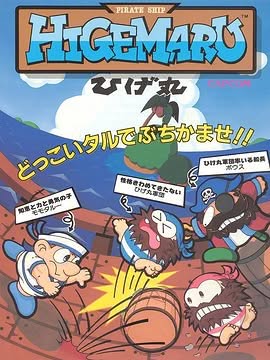
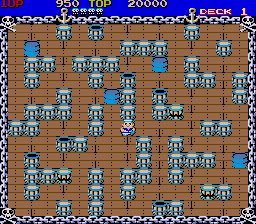
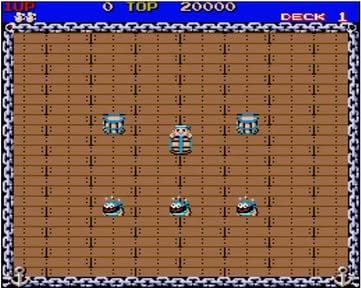
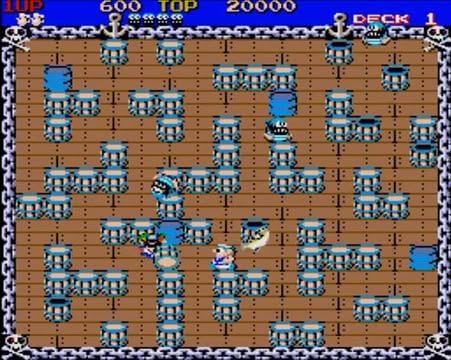
Pirate Ship Higemaru drops you into a cramped, rotating deck where the only weapon is a handful of barrels, drums and oversized bags. You play as Momotaru, a Norwegian sailor who can snatch these objects and fling them horizontally or vertically, sending any pirate who stands in the way flying off‑screen. When a barrel smashes into a wall or another barrel it shatters for points, while the heavier items stay solid but still clear out foes. Each floor has a set quota of pirates plus a special "Bow" captain who regenerates until you finally defeat him, and every fourth level turns into a bonus stage where barrels are worth extra points and the enemies are all Bows. The game rewards you with a temporary invincibility after every sixteen barrels destroyed, letting you walk through the crew for a brief window. Though there’s no true ending, the challenge ramps up as pirate speed and AI improve, and after level sixteen the patterns reset while the barrel layouts keep shifting, keeping the loop fresh.
In Pirate Ship Higemaru, you play as Momotaru, a solitary sailor who finds himself locked aboard the notorious Higemaru pirate vessel. The game forces you to fend off wave after wave of pirate crew members, hurling barrels, crates and other floating objects back at them to keep the deck clear.
Among the swarming enemies is the elite pirate known as Bows, the ship’s captain, who appears as a tougher, more aggressive foe. Defeating Bows ends the pirate onslaught and brings the chaotic battle to a close.
Edited by Maya Carter
1986 Beat 'em Up
Puzzle
1989 Fighting
1999 Shooter